Import from Revolut
Your Revolut stocks — every trade, dividend and fee — imported from two statements, with each dividend’s tax included.
Why bring Revolut into FolioCenter
- Dividends, tax included — gross, withheld and net for every payment — the numbers you need at tax time.
- Splits and spin-offs handled — share counts stay right, and selling a spin-off shows a sensible gain.
- One view across brokers — your Revolut portfolio next to everything else you own.
Before you start
You’ll need two CSV statements from the Revolut app: the account statement, with every trade, dividend and fee, and the P&L statement, which adds dividend tax and the full names of your holdings. Revolut crypto isn’t supported yet.
Upload both together. The account statement brings your transactions; the P&L statement fills in what it leaves out. Without it, dividends arrive after tax and some holdings show by ticker only.
Export your statements from Revolut
- Open the Revolut mobile app — these exports aren’t available on the web.
- Go to the Invest tab, tap More, then Documents.
- Choose Stocks, then Account statement. Pick the CSV format, set the period to cover your whole investment history, and generate it.
- Back in Documents, repeat for the P&L statement over the same period.
Renaming the files is fine — FolioCenter recognises them by their contents. If one isn’t a Revolut statement it knows, FolioCenter tells you which, rather than importing half your account.
Import into FolioCenter
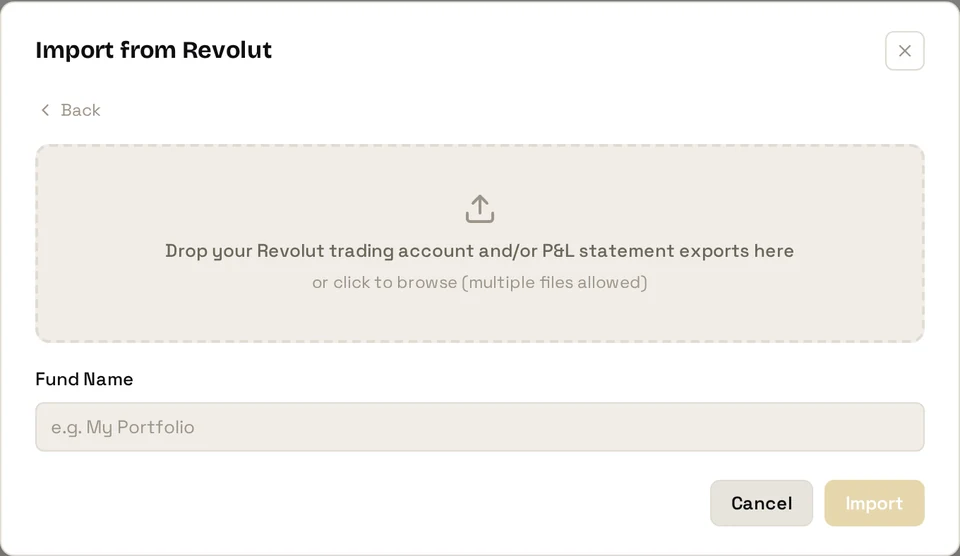
- Start a new import and choose the Revolut card.
- Drop in the trading account statement and the P&L statement together.
- Give the fund a name.
- Confirm the base currency.
- Import. You’ll get a summary of the portfolios, accounts and transactions created.
Already track this portfolio in FolioCenter? Choose add to an existing fund and drop in the newer statements. Anything you’ve imported before is recognised, so nothing is ever counted twice.
What gets imported
- Buys and sells, with the commission Revolut folds into the total
- Dividends, with their withholding tax when you include the P&L statement
- Custody fees and fee reversals
- Cash top-ups and withdrawals
- Mergers, in both their stock and cash forms
After importing
Holdings with no market-data feed are flagged on the import summary with an Add prices button — see Import a manual price history to value them.
Stock splits need nothing from you: FolioCenter applies them automatically, and the import summary tells you if one needs a second look.
Common questions
The account statement and the P&L statement, together, each covering your whole history.
The P&L statement adds detail to your transactions but can’t create them on its own. Add the account statement for the same period and import both together.
Not yet — it’s on our list. If you upload a crypto statement alongside your stock statements, it’s skipped and everything else imports as normal.
Revolut’s account statement reports dividends net of tax and never states the tax itself — only the P&L statement knows the gross figure. Export the P&L statement for the same period and add it to the same fund; the tax is then attached to each dividend.
Check it’s a statement rather than a summary document. If it still won’t import, write to support@foliocenter.com and we’ll take a look.
Those are almost certainly spin-offs. When a company you hold spins off a business, Revolut adds the new shares without recording how they arrived. FolioCenter recognises them and gives them the right cost, so when you sell, the gain is correct.
Yes. Anything you’ve already imported is recognised and skipped, so only genuinely new transactions are added — nothing is ever counted twice.
Your Revolut stocks, with the dividend tax done
Import your statements and see every trade, dividend and fee — with real returns — next to the rest of your portfolio.
Start free →Already have an account? Sign in
Revolut is an independent company and isn’t affiliated with FolioCenter. You export your own data; FolioCenter only reads the files you upload. This guide isn’t investment advice.